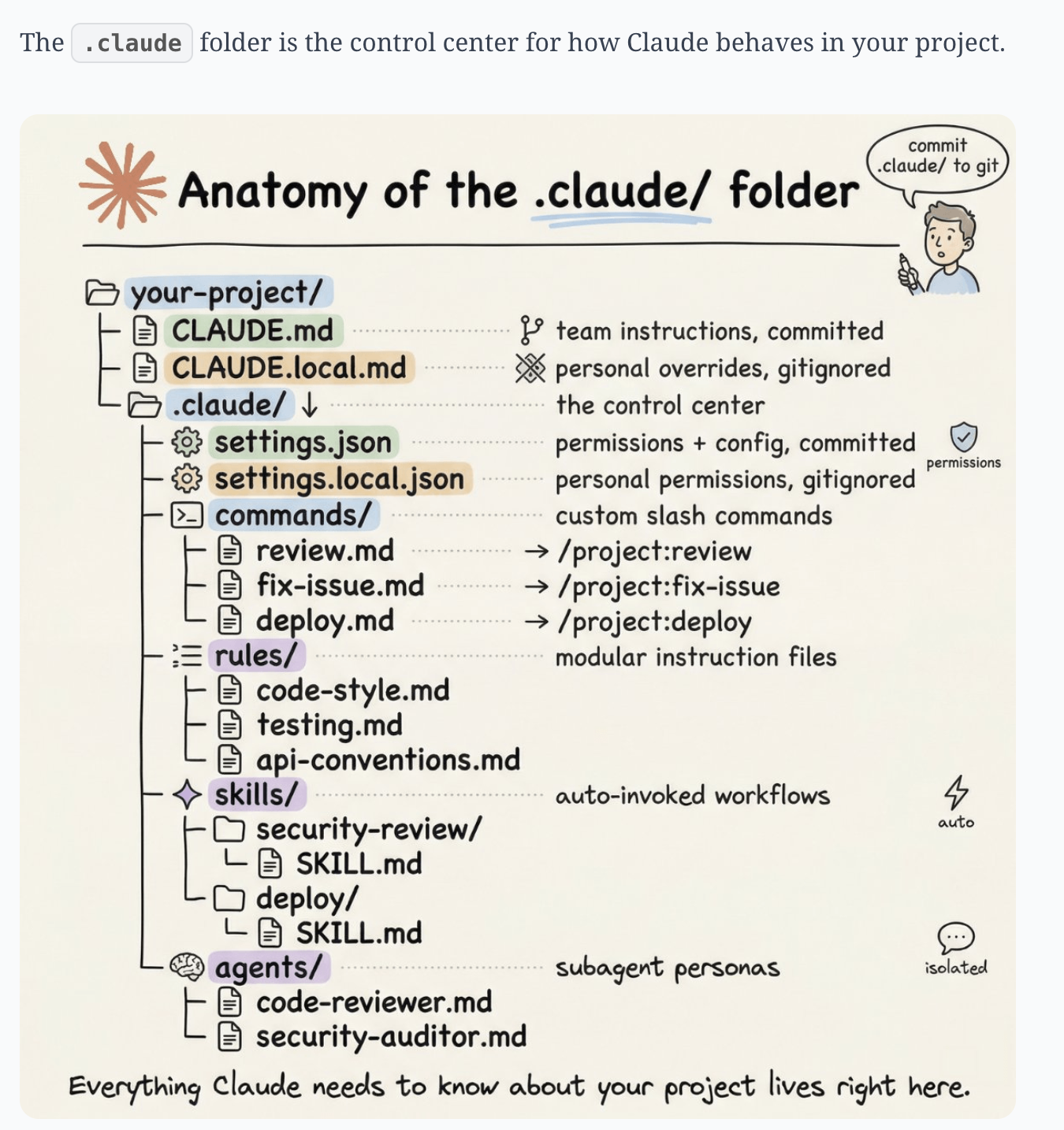
The .claude/ folder
Project instructions, permissions, custom commands, rules, skills, and subagents all live here. This is the shared setup for the project.
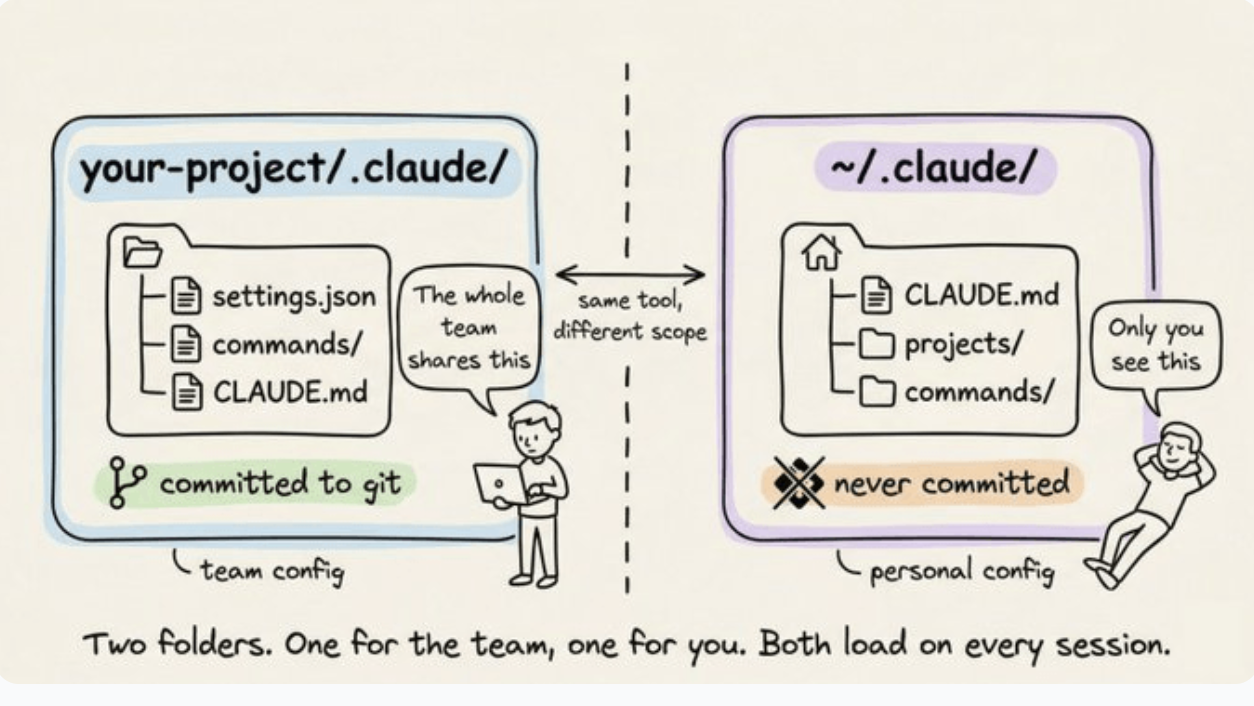
Project config vs your config
One config sits in the project and can be shared. One sits in your home folder and belongs only to you. Both can load into the same session.
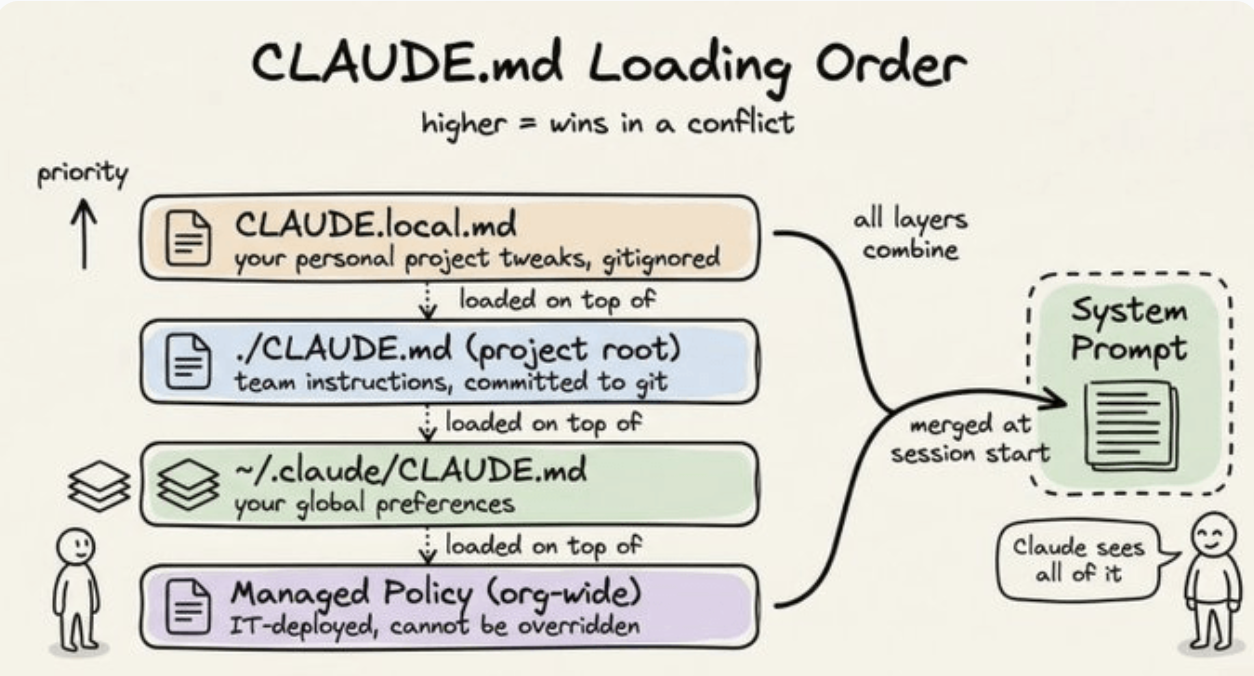
How CLAUDE.md loads
Your personal notes, the project instructions, and your global rules all stack into one set of instructions at the start of every session. Higher in the stack wins.
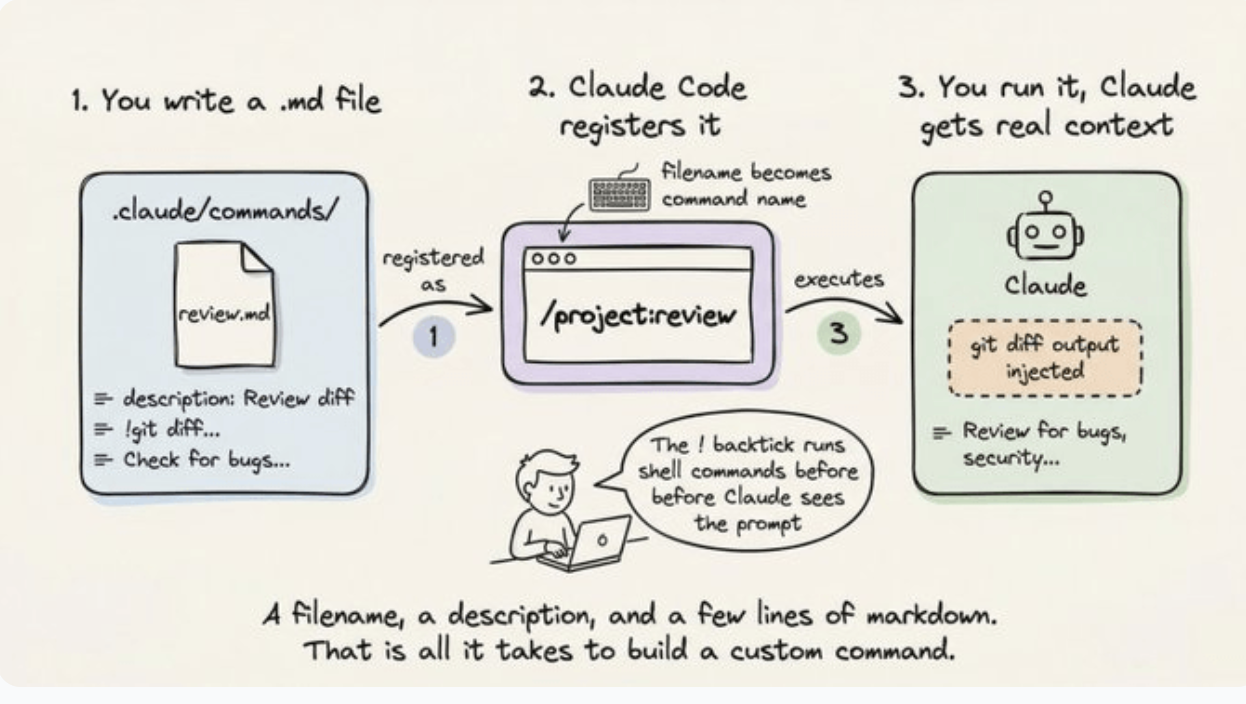
Custom commands
A filename, a description, and a few lines of markdown can become a command you run on demand.
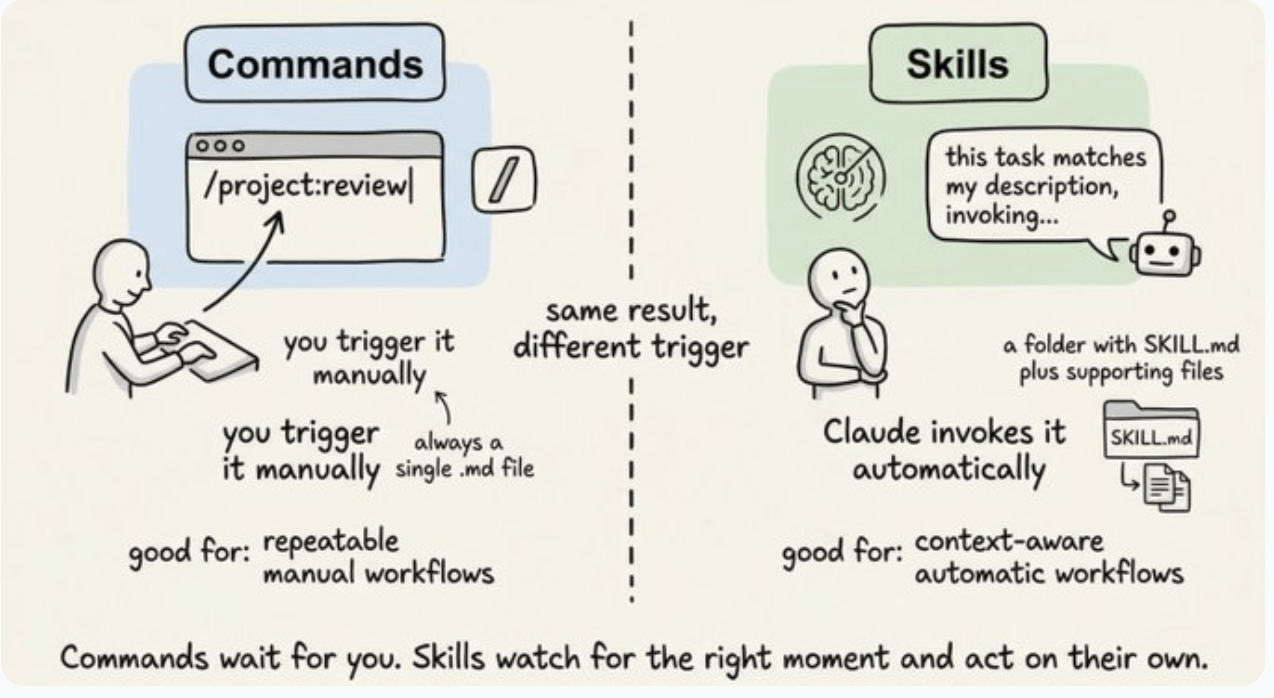
Commands vs skills
Same idea, different trigger. Commands wait for you to call them. Skills watch for the right moment and fire on their own.
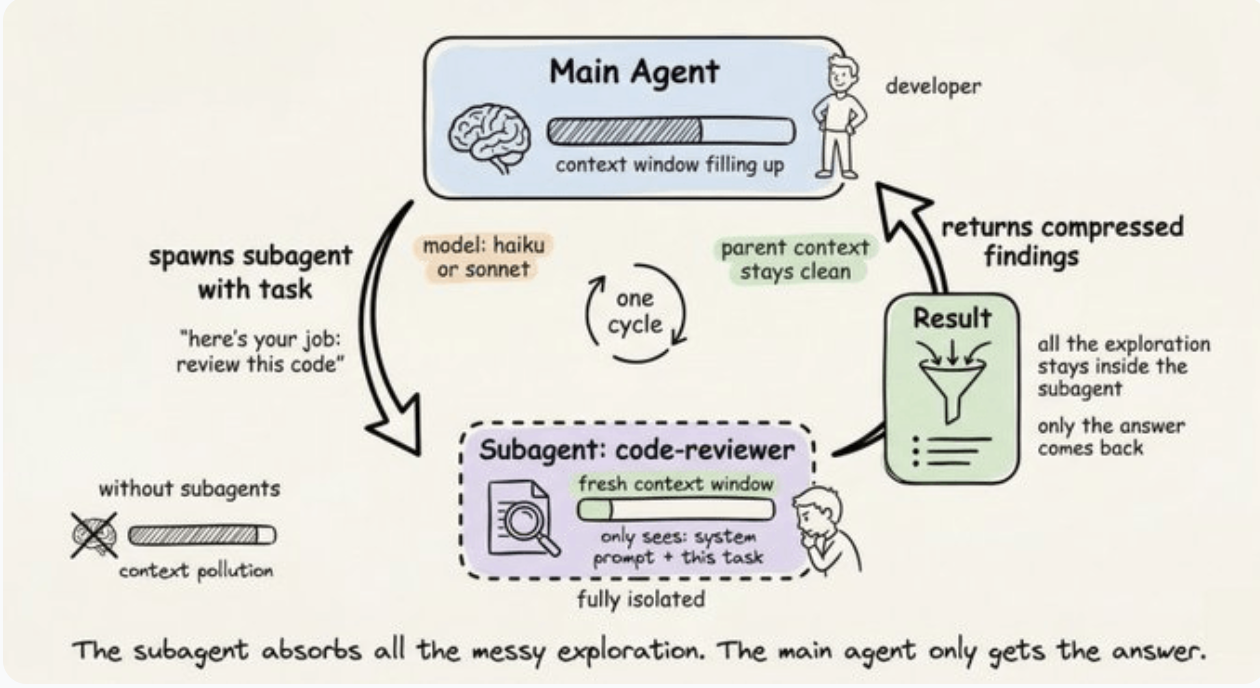
Subagents
A subagent does the messy exploration in its own context window, then hands back the useful answer. The main session stays cleaner.