"Make me a modern landing page."
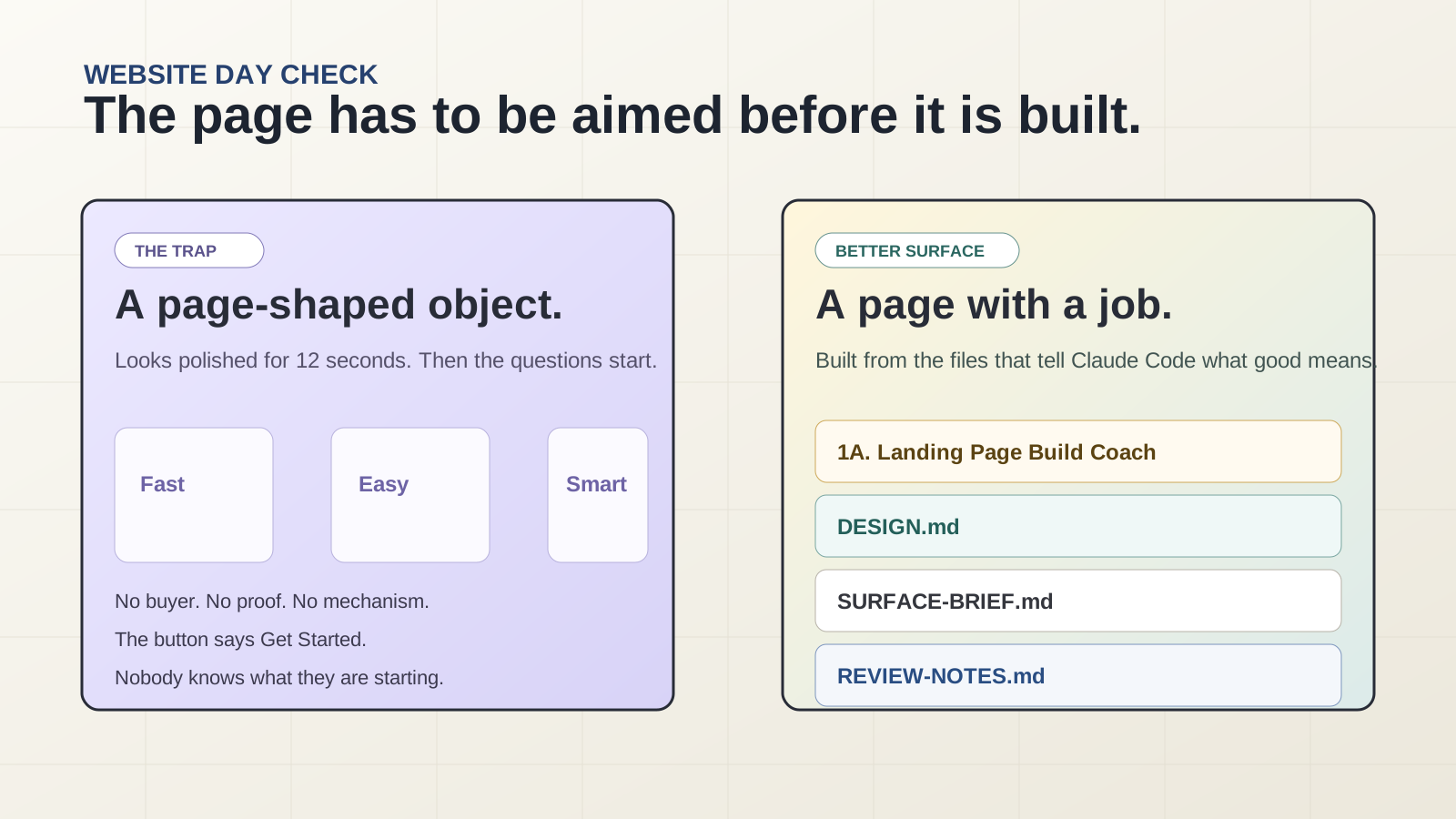
Claude decorates uncertainty and invents a page-shaped object.
Day 3 · Website Day · The Surface
Today is not "ask Claude Code for a website." Today is a live anti-slop operating system: evidence, copy, design contract, build brief, review gate, public URL.
The problem
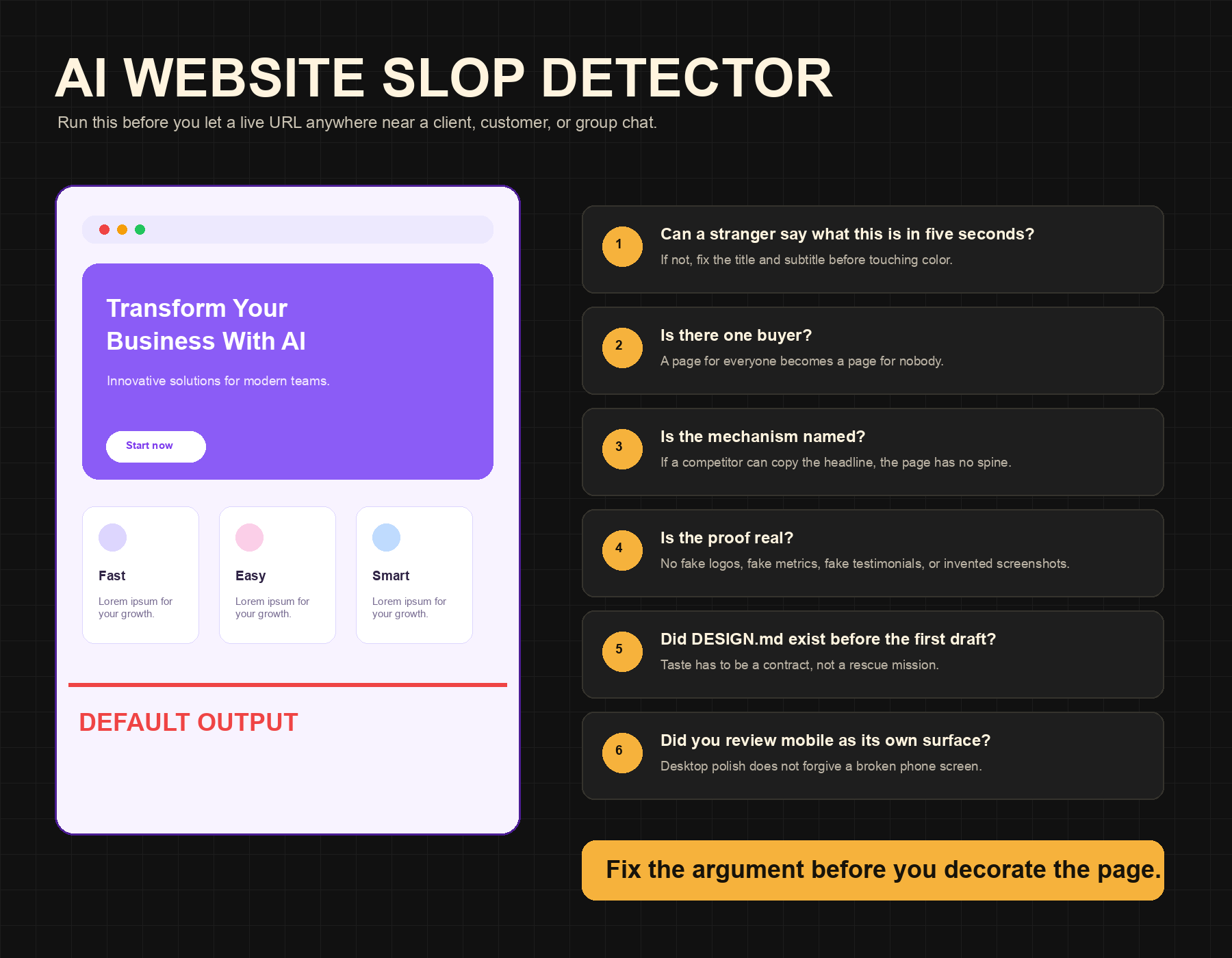
Lavender fog. Three cards named Fast, Easy, Smart. A button that says Get Started even though nobody knows what they are starting.
Claude decorates uncertainty and invents a page-shaped object.
Reference evidence, landing-page argument, DESIGN.md, brief, review notes, live URL.
The build gives Claude something concrete to obey and something concrete to be judged against.
The method
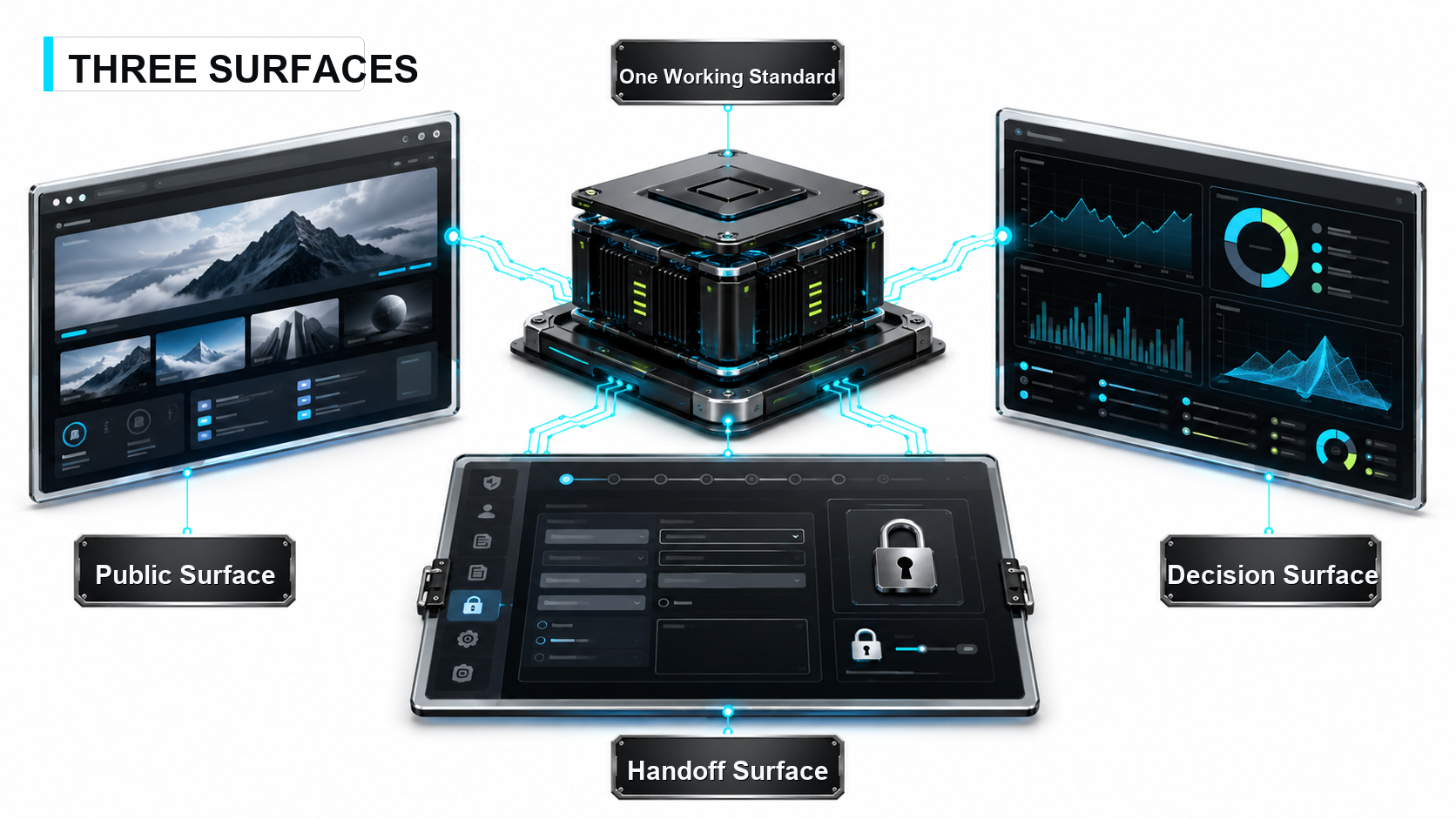
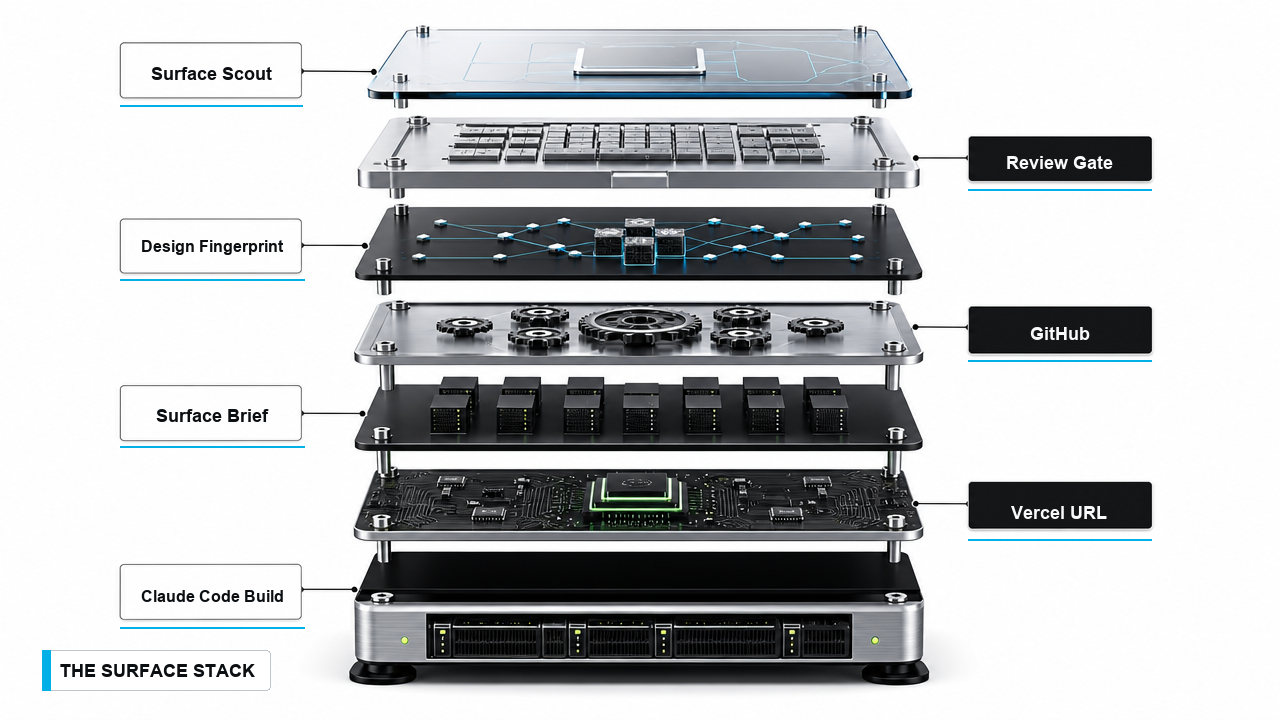
A website, client editor, and dashboard look different. The method stays the same: standard, evidence, copy, design, brief, build, review, deploy.
Downloads
Skills, starter files, prompt files, and reference repos are all clickable here. No scavenger hunt while you build.
This is the upgraded one. The old version was just the coach prompt. This is the full skill: it writes the conversion copy with you, then designs the page in one shot. And before it designs anything, it asks for your reference sites and your brand, so the first build looks like what you actually pictured.
Install. Download the skill below, drop the file into Claude Code, and say "please install this skill." That is the whole install.
Use. Run /landing-page-builder, or just ask it to build or redesign a page. It handles the copy, asks for any references you have, and ships. New to it? Grab the PDF, it walks through the whole thing.
The full coach prompt. Use it first when the page needs to sell. It locks the buyer, awareness, mechanism, proof, above-the-fold argument, and structure.
Download prompt Starter packTemplate project with `CLAUDE.md`, research, copy, DESIGN.md, brief, review notes, client edit gate, assets, references, and site folder.
Download zip GuideThe complete handholding version for replay viewers.
Download file SkillAnti-generic UI standards for pages, apps, dashboards, and components.
Download skill SkillThe downloadable design-language skill you provided for Website Day.
Download zip SkillResearch engine pack for finding sharper examples and non-obvious patterns.
Download zip FilesCMS starter reference for client-editable handoff surfaces.
Download zip SkillUse when the surface becomes a decision screen.
Download skillThe build checklist
Use the exact prompts below. These gates keep the build from sliding back into default AI output.
1A is the Landing Page Build Coach for sales pages. 1B is the smallest-real-page picker for everything else.
No mystery screenshots. No final-final-v3. The folder is the memory surface.
Frontend Design, Firecrawl, Awesome DESIGN.md, and Dashboard Setup each enter at a specific moment.
Research, copy, DESIGN.md, and Surface Brief aim the first draft.
The Slop Detector tells you whether to fix the argument, the design, or the mobile surface.
Paste-along workbook
Collapsed by default for readability. Open a step when you want the exact prompt or resource links.
This is the full prompt, loaded from the same file used by the prompt library and download. Start here for landing pages, offer pages, workshop pages, lead magnets, and any page where the next action matters.
Loading the full Landing Page Build Coach prompt...Use this smaller picker for about pages, case studies, client one-pagers, tiny microsites, dashboards, or anyone who does not yet know what to build.
I need to choose the smallest real page to build today.

Ask me 5 questions that help me pick between:
- landing page
- about page
- case-study page
- client one-pager
- workshop or lead-magnet page
- small microsite
- dashboard-style decision page

After I answer, recommend one page target.
Keep the recommendation small enough to build today.
Do not create files yet.Download the starter if you want the files already named: Day 3 Surface Folder.
I am designing a landing page.

Please create a project folder for this build and set up this starter structure:

my-page/
  CLAUDE.md
  SURFACE-RESEARCH.md
  LANDING-PAGE-COPY.md
  DESIGN.md
  SURFACE-BRIEF.md
  REVIEW-NOTES.md
  CLIENT-EDIT-GATE.md
  README.md
  references/
  assets/
  site/

Before you create anything, ask me:
1. What should the project folder be called?
2. Where should it live?
3. Is this a landing page, an about page, a client page, or a dashboard-style page?

After I answer, create the folder structure and show me the files you created.
Do not build the page yet.Before we build, check which relevant skills and tools are available in this workspace.
For this project, I want you to use:
- frontend-design for the page UI and anti-generic design rules
- Awesome DESIGN.md examples when writing DESIGN.md, so the design contract has concrete color, type, spacing, component, imagery, and motion rules
- Firecrawl or Firecrawl agent when you need to scrape reference pages
- dashboard-setup only if this becomes a decision dashboard
If a skill or tool is not installed, tell me what is missing and give me the closest fallback.
Do not install anything.
Do not build the page yet.Create CLAUDE.md for this project.
Write short project rules for this page build:
- ask clarifying questions before building
- keep all work inside this project folder
- use SURFACE-RESEARCH.md, LANDING-PAGE-COPY.md if it exists, DESIGN.md, and SURFACE-BRIEF.md before editing the site
- use frontend-design before making UI decisions
- do not invent proof, numbers, testimonials, logos, screenshots, guarantees, or customer quotes
- keep the page focused on one buyer, one promise, and one action
- check mobile before calling the page ready
- keep deploy notes in README.md
After you write CLAUDE.md, summarize the rules in plain English.
Do not build the page yet.I am building a page for [audience] who need [job].
Before we build, help me define the quality bar for this page.
Ask me 5 clarifying questions first.
After I answer, write the quality bar into SURFACE-BRIEF.md under a section called "Quality Bar."
Include:
- what the page must prove above the fold
- what would make it feel generic
- what would make it feel trustworthy
- the one action the page should cause
- what proof must appear high on the page
- mobile rules
- three mistakes to avoid
Do not build the page yet.Use these reference sites:
[paste 3-5 links]
Create SURFACE-RESEARCH.md for my page.
For each reference, extract:
- section order
- headline patterns
- trust signals
- CTA patterns
- proof assets needed
- visual patterns worth borrowing
- weak patterns to avoid
- what the page must prove immediately
If Firecrawl is available, use it to scrape the references into clean Markdown first.
If Firecrawl is not available, inspect the pages manually from the links I provide.
Then summarize the shared pattern across the references.
Do not copy the brands.
Extract the structure and decisions.
Do not build the page yet.If you ran 1A, this step turns the coach output into the file Claude Code will use later. If you skipped 1A and this is a sales page, stop and run 1A first.
Using my answers from the Landing Page Build Coach, write LANDING-PAGE-COPY.md.

Include:
- one buyer
- where that buyer is standing right now
- awareness level
- offer and deal
- one promise
- named mechanism
- Rule of One
- above-the-fold draft
- proof plan
- features and objections
- FAQ
- second CTA
- founder note beats

If any of those are missing, ask me only for the missing pieces.
Do not invent proof.
Do not build the page yet.Use the frontend-design skill for this step.
I need a DESIGN.md for this page before you build.
Use:
- SURFACE-RESEARCH.md
- LANDING-PAGE-COPY.md if it exists
- the Quality Bar in SURFACE-BRIEF.md
- these reference links: [paste links]
- this DESIGN.md inspiration if useful: https://github.com/VoltAgent/awesome-design-md
- Awesome DESIGN.md patterns: exact color roles, type rules, spacing, component behavior, imagery rules, motion rules, and do/don't examples
First, recommend 3 possible design directions.
For each direction, show:
- visual thesis
- typography feel
- color roles
- layout rhythm
- imagery strategy
- what it would make the page feel like
- what could go wrong
Use this format for your recommendation:
- The trap: what a generic AI page would do
- Better move: the direction you recommend
- Why it works: what specifically changed and why
Do not write code.
Do not build the page yet.Create the final SURFACE-BRIEF.md for this build.
Use:
- CLAUDE.md
- SURFACE-RESEARCH.md
- LANDING-PAGE-COPY.md if it exists
- DESIGN.md
- the Quality Bar already in SURFACE-BRIEF.md
- my audience
- my offer or page goal
- my reference links
The brief should include:
- page type
- audience
- one primary action
- one promise and named mechanism, if this is a landing page
- section order
- above-the-fold burden
- proof needed
- design rules
- copy constraints
- image and asset needs
- mobile requirements
- deploy target: GitHub + Vercel
End the brief with this instruction:
"Before building, ask any clarifying questions that would change the page."
Do not build the page yet.Use the frontend-design skill.
Read:
- CLAUDE.md
- SURFACE-RESEARCH.md
- LANDING-PAGE-COPY.md if it exists
- DESIGN.md
- SURFACE-BRIEF.md
Before building, ask me any clarifying questions that would change the page.
After I answer, build the first version of the site inside the site folder.
Prioritize:
- clean responsive layout
- strong above-the-fold section
- real section hierarchy
- proof placed where it matters
- no generic stock SaaS feel
- mobile usability
- deployable files
- purposeful motion that helps the page feel alive without hurting readability
After building, tell me:
- which files changed
- the local command to preview the site
- what you want me to check firstStart the local preview server for this site.
Give me the local URL.
If the first port is busy, use another one.
Do not make code changes while starting the server.Review the current site against the AI Website Slop Detector.
Create REVIEW-NOTES.md with:
- can a stranger say what this is in five seconds?
- is there one buyer?
- is the mechanism named?
- is the proof real?
- did DESIGN.md exist before the first draft?
- did we review mobile as its own surface?
- what still feels like default AI output?
- the top 5 fixes in order
Be direct.
Do not protect the draft.
Do not make changes yet.The [section name] section feels [flat / unclear / generic / visually weak].
Improve only this section.
Keep the content job the same, but improve:
- hierarchy
- spacing
- visual contrast
- proof placement
- interaction or motion if it earns its place
- mobile behavior
Use DESIGN.md as the constraint.
Do not redesign the whole page.
After the change, tell me exactly which files changed.Prepare this project for deployment through GitHub and Vercel.
Check:
- the site runs locally
- the build command is clear
- the output folder is clear
- no secrets are committed
- README.md has the local run command
- README.md has deploy notes
Then walk me through the GitHub and Vercel deploy steps one screen at a time.
Do not skip ahead.Design a client edit gate for this page.
Do not build it yet.
Map:
- which fields a client should be allowed to edit
- which layout and brand rules should be locked
- how changes get approved
- how publishing works
- how rollback works if the edit breaks something
Write the plan into CLIENT-EDIT-GATE.md.Open the decision-surface guide: Dashboard Builder.
Use the dashboard-setup skill.

I want to build a dashboard for [account/project/client].

Before designing the dashboard, ask me:
- what decision this dashboard should improve
- who uses it
- what data sources are allowed
- what each metric means
- what action someone should take after reading it

Do not draw the dashboard until the decision is clear.Review
If the page fails here, the next move is not prettier buttons. Fix the audience, proof, mechanism, section order, or mobile surface.
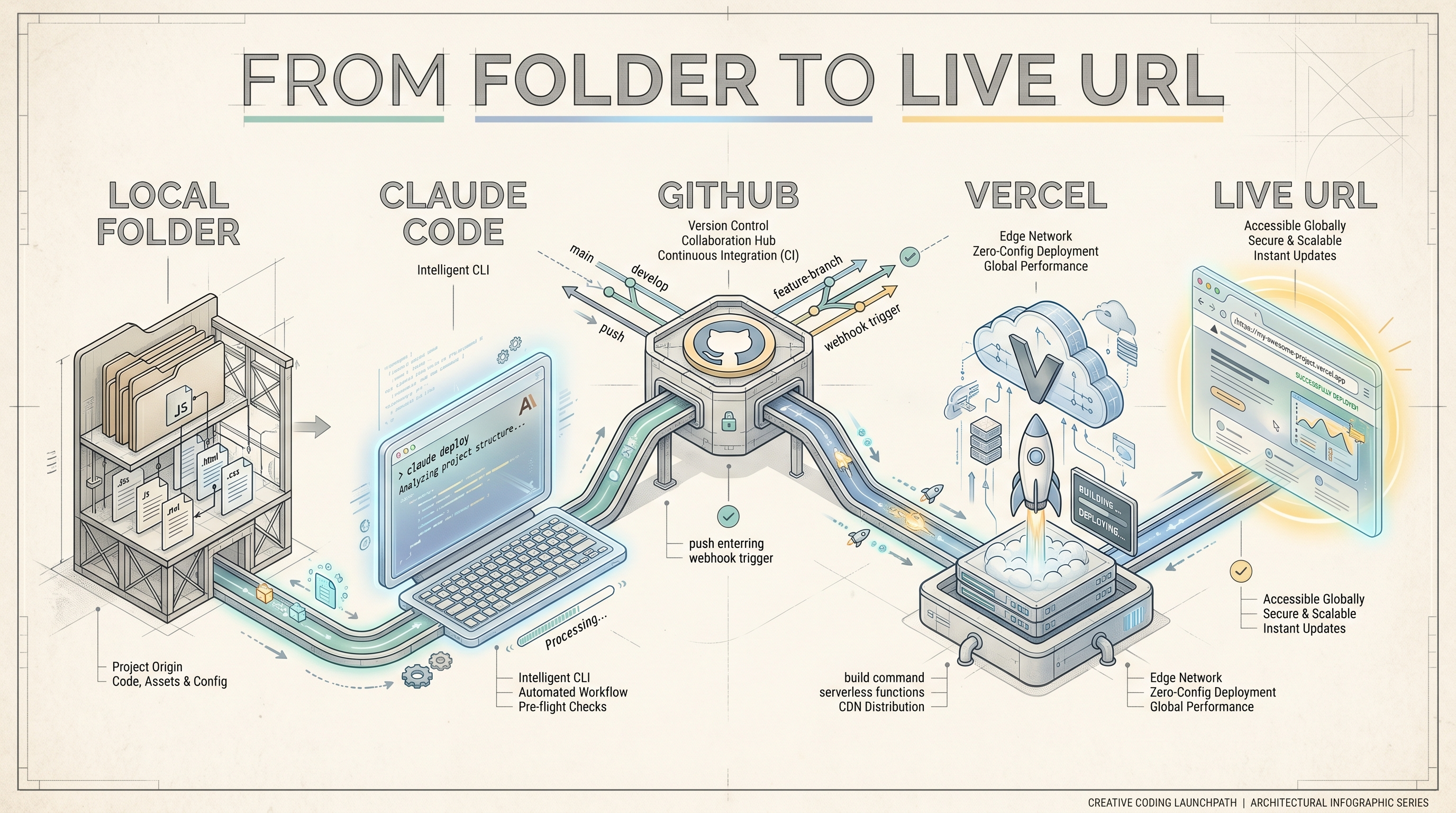
Ship it
GitHub holds the files. Vercel puts them online. The session ends when someone else can open the URL and understand the page without you narrating it.
Live URL:
What I built:
What the page should make someone do:
What I changed after review:
What I would fix next: